Single items become a complete outfit on a real model
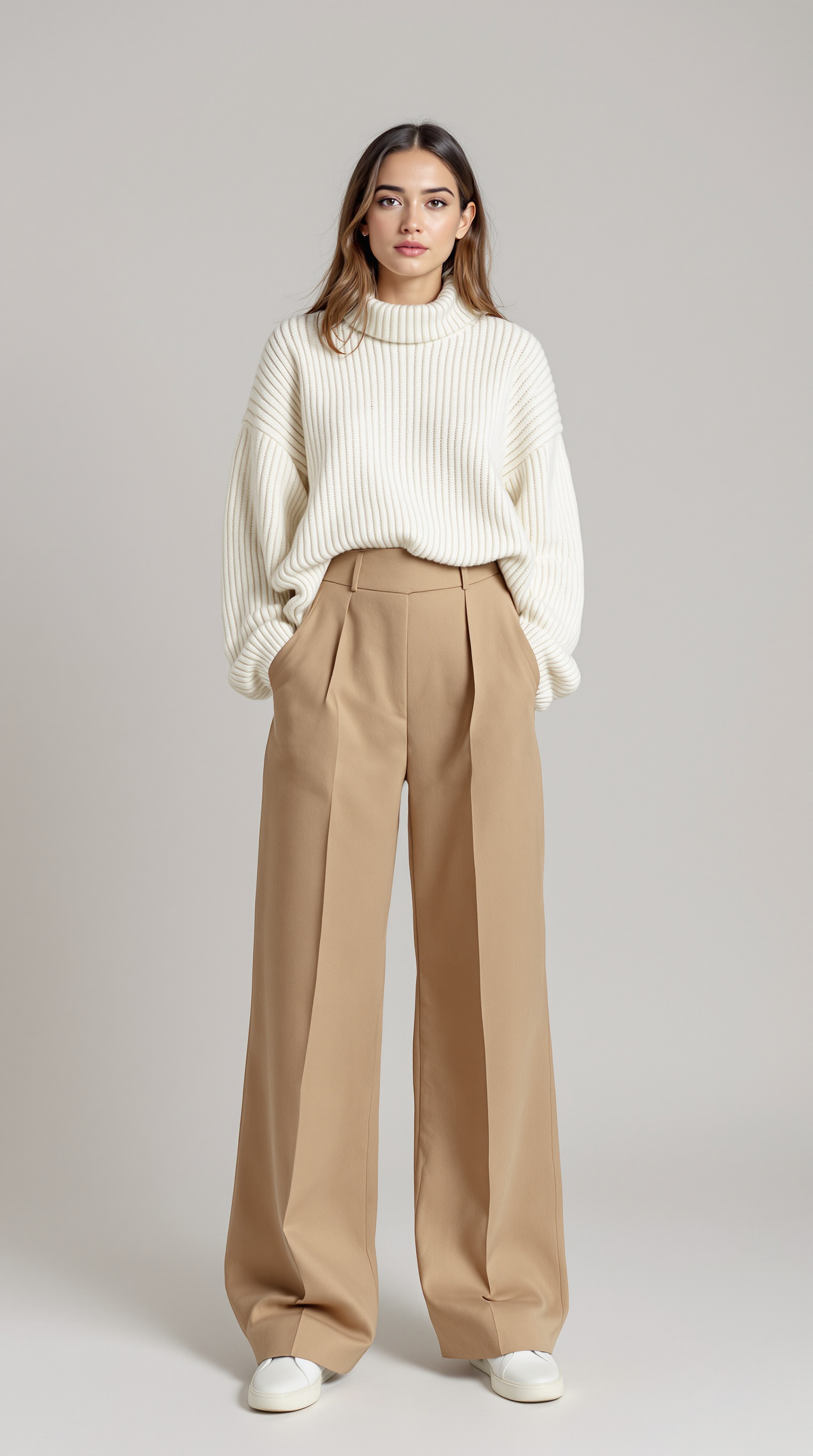
Pick 2 to 6 clothing items and a real model — Buust layers them neatly on top of each other and delivers ONE outfit photo. From it you create a finished Shopify bundle product in one click, with a summed price and an AI description.
- 2–6 items per outfit
- A real model, no auto-model
- Finished Shopify bundle
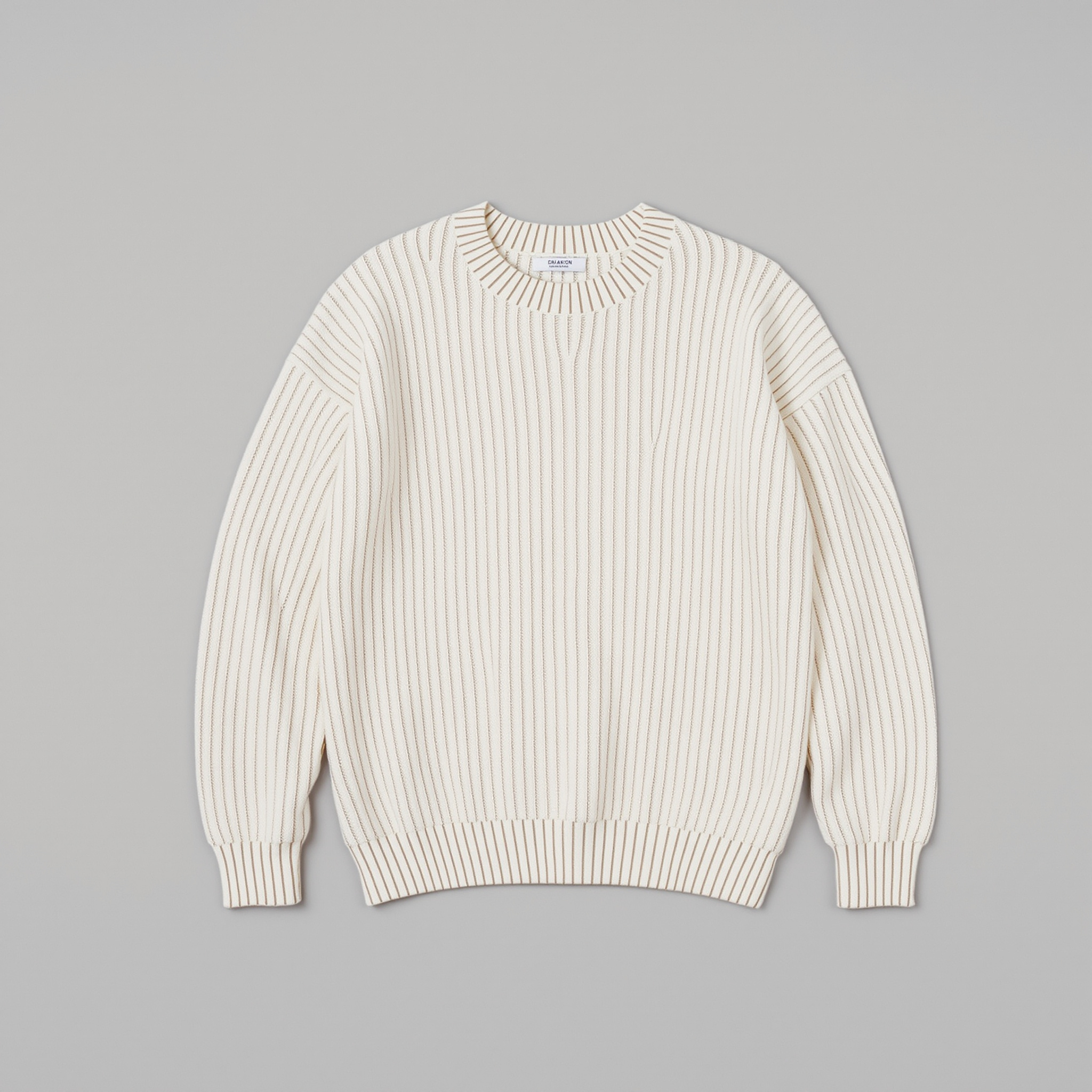
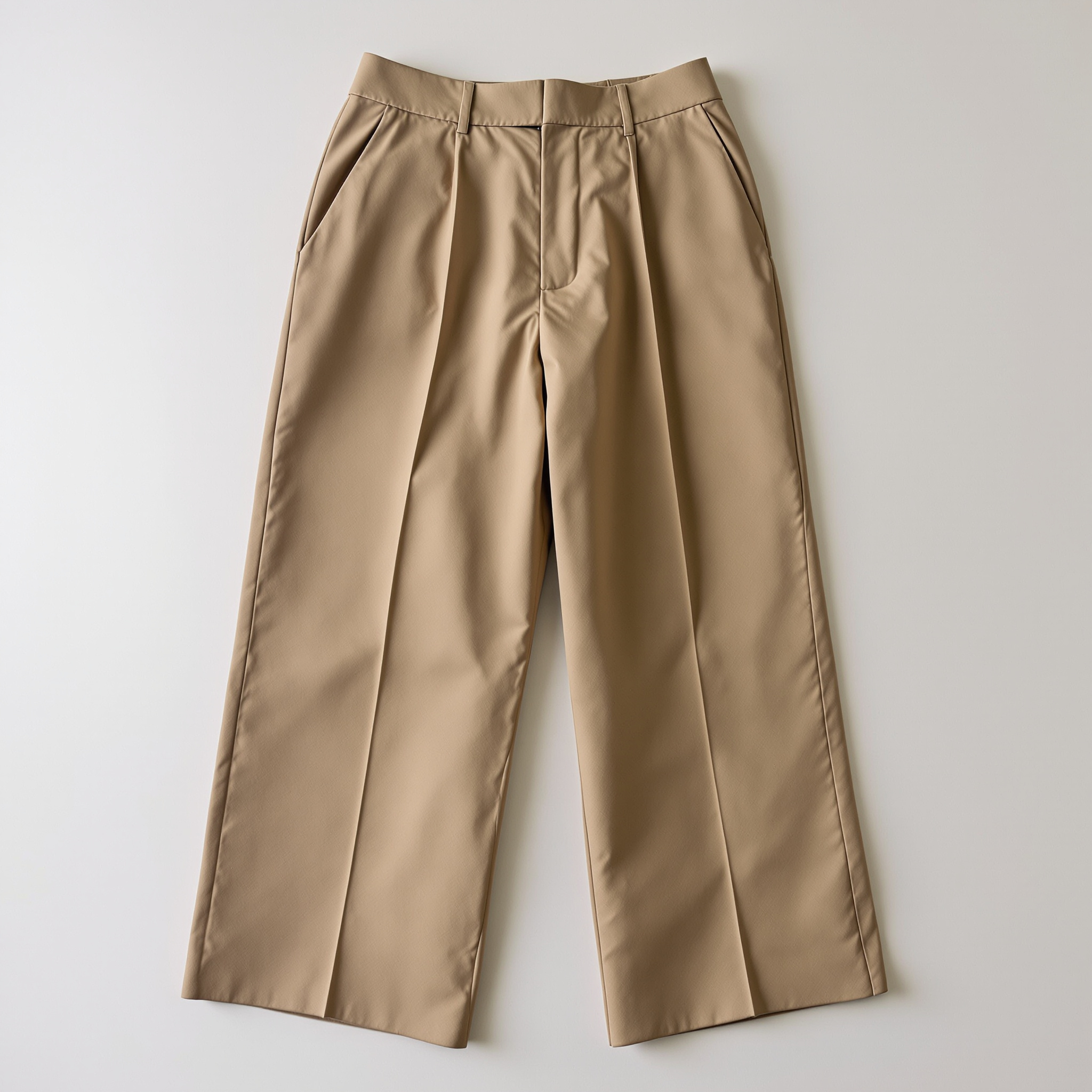
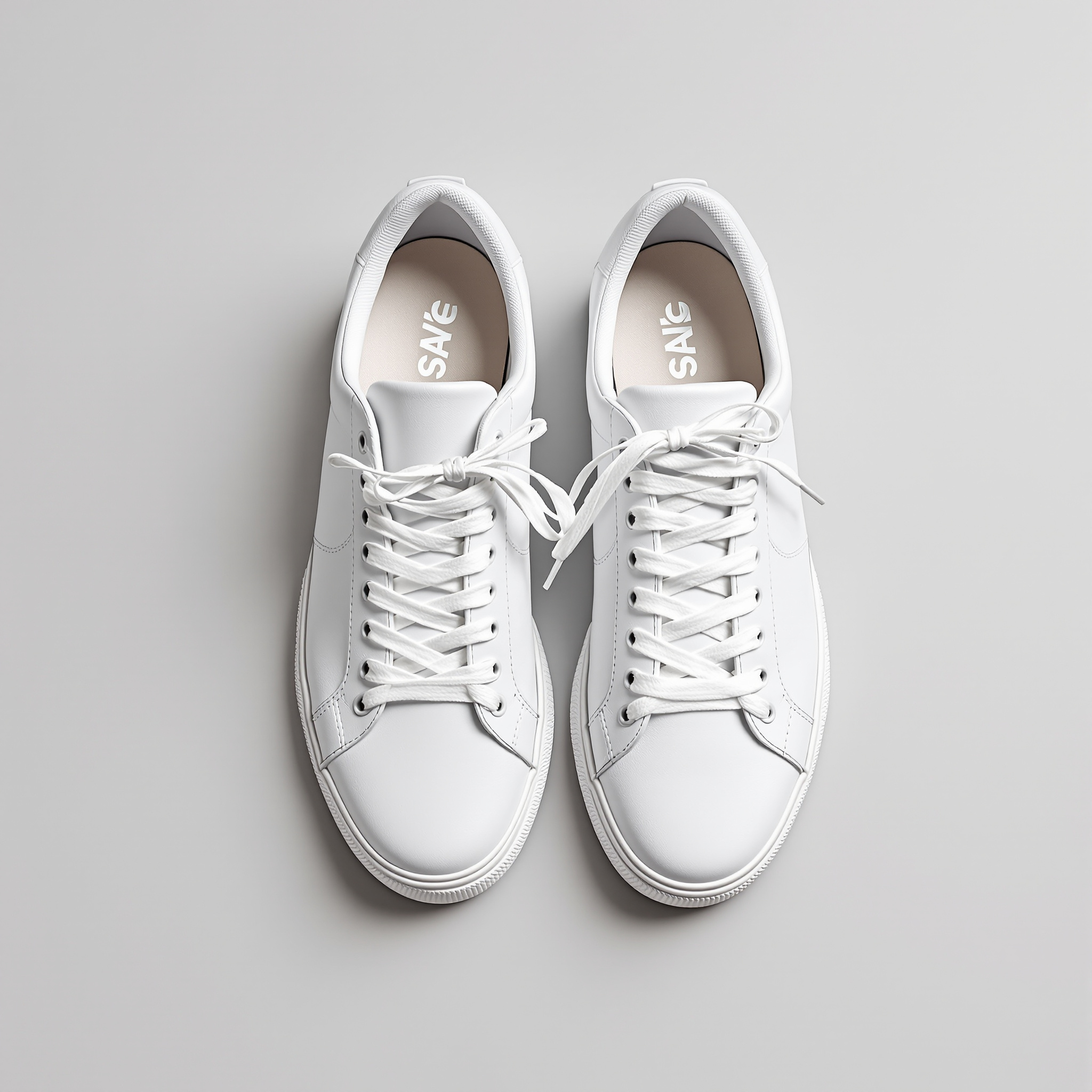
Your individual items (each a product)
One new Shopify product
A real example: several items combined into one outfit photo on a model.
Single items sell worse than a finished look
Buyers want to see how items work together — not just trousers, a top and shoes shot separately on white. Otherwise you only show the complete look on a model with a shoot and a stylist.
- Single items just sit there. Three items shot separately leave buyers guessing whether they go together — the finished look is missing from the listing.
- A look shoot is expensive. Booking a model, stylist and set for every combination is too slow and too costly when you want to show outfits at scale.
- Building bundles is manual work. Merging several SKUs into a set, summing the price, sorting the images — building each bundle by hand eats your time.
With Buust
- The complete look on a model. Buust dresses a real model in 2 to 6 of your items and automatically layers them in the right order into one outfit photo.
- No shoot, no stylist. Instead of booking a model, set and photographer, you choose items, model and scene in your browser — the outfit photo comes out of it.
- A finished bundle in one click. From the outfit Buust creates a Shopify bundle product: components with real variant SKUs, a summed price and an AI description.
From a mix of items to a finished bundle product
You pick the items, the model and the scene — Buust layers them, writes the copy, sums the price and creates the product.
Several items, neatly layered
Buust combines 2 to 6 of your clothing items on a real model. The items are layered automatically in the right order — dress, then trousers, top, jacket, shoes, bag, accessory — so the look sits correctly.
- At least 2, at most 6 items per outfit
- Automatic layer sorting for correct overlapping
- Items put on one by one into ONE outfit photo
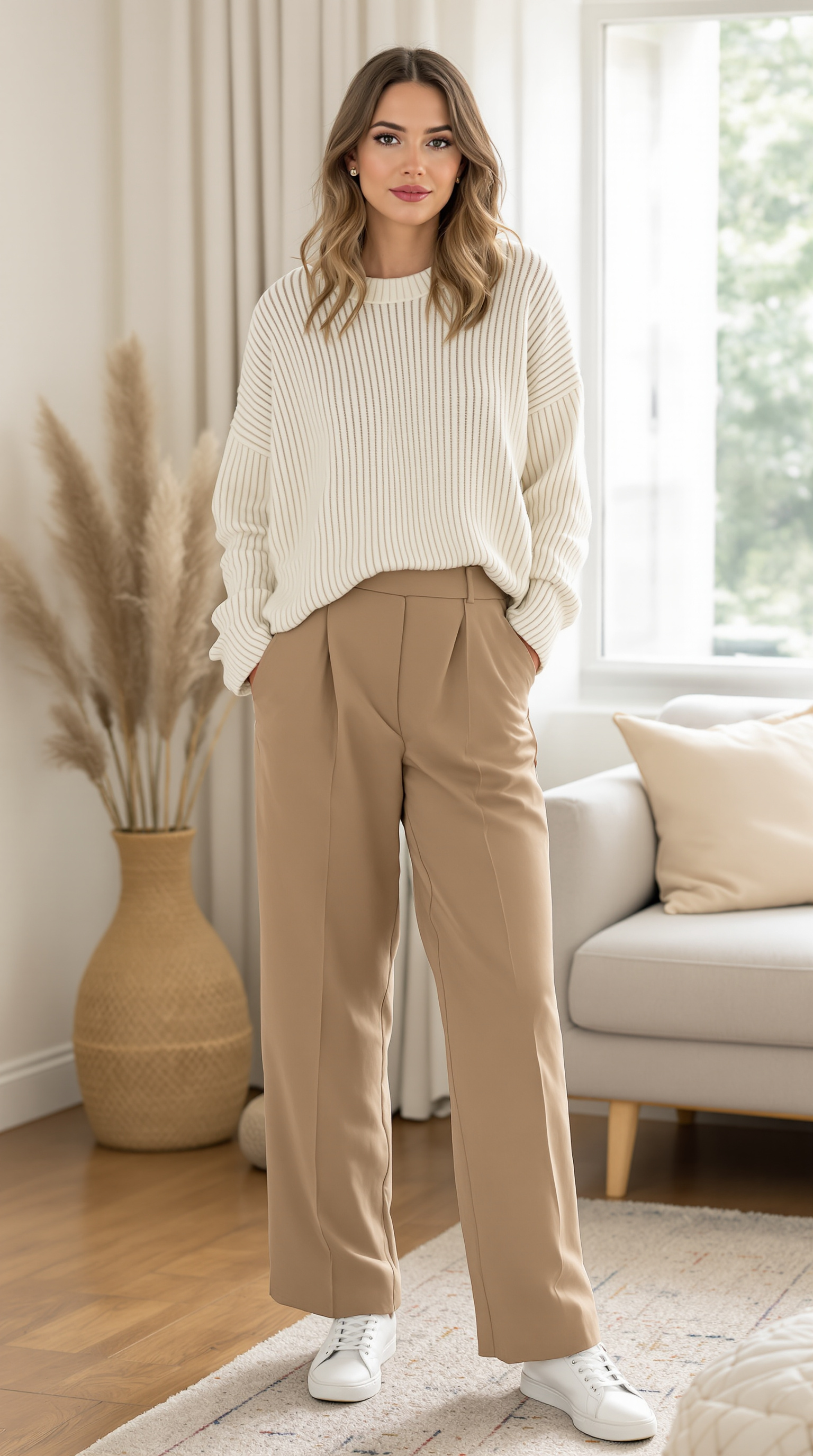
A real model & a fitting scene
For outfits you need a real model — from the Buust library or your own uploaded model. On top of that you choose one of 12 scenes as a backdrop, from studio through lifestyle and street to beach and golden hour.
- Model from the Buust library or upload your own
- 12 scenes: studio, white, lifestyle, street, outdoor, beach and more
- One model, one pose for the complete outfit
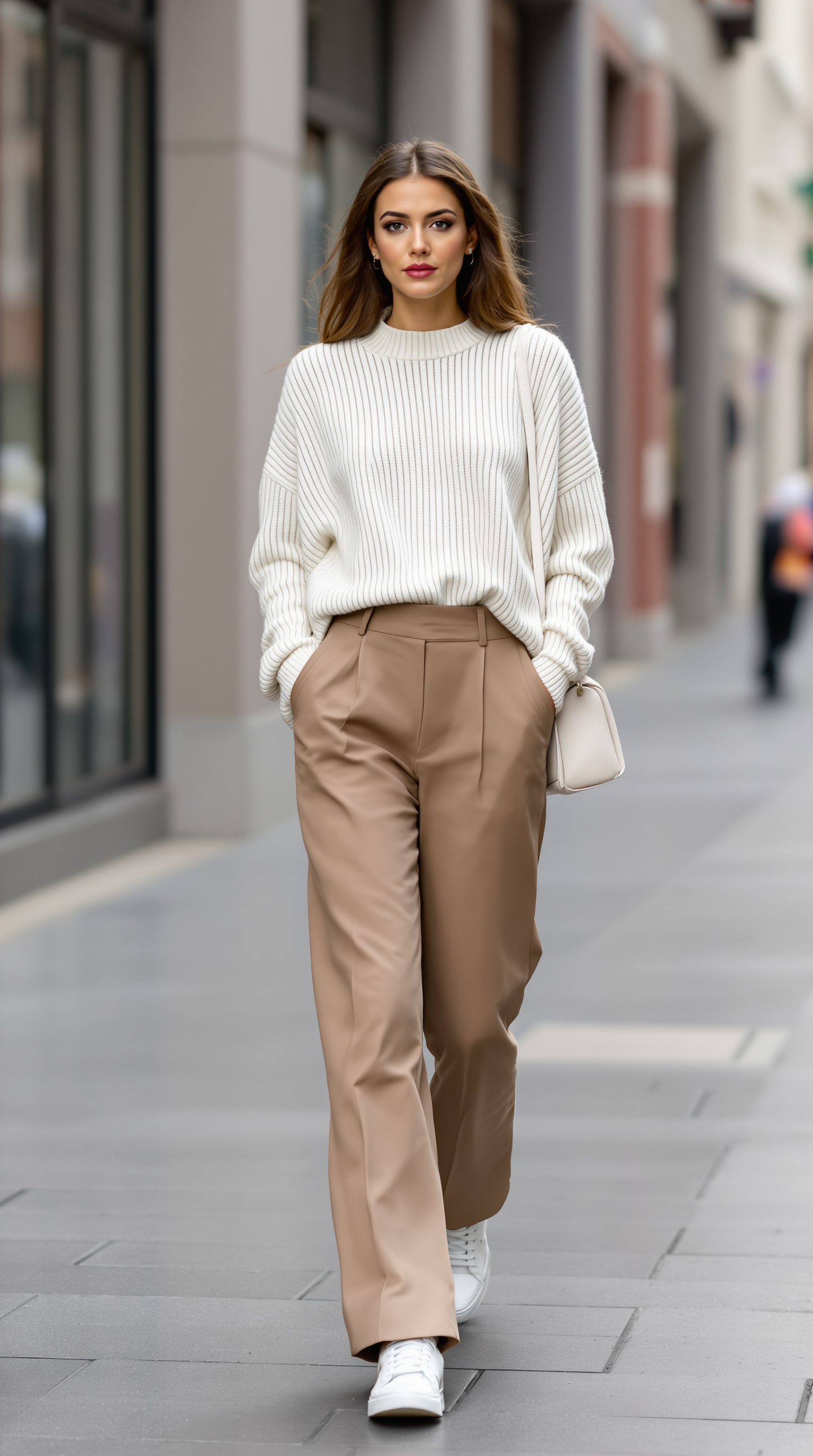
Straight to a Shopify bundle
From the finished outfit Buust creates a Shopify product. Where possible it builds a real bundle from the individual items with variant SKUs and derived inventory; otherwise a simple product with a summed price. The description is written by AI from the finished look.
- Summed price calculated automatically from the items
- AI description from the outfit photo, otherwise from the item list
- Save as a draft or go live right away
From your individual items to a ready-to-sell outfit
You pick the items one by one from your shop — each its own product. Buust combines them into a look on a real model and creates a new product from it. Your first example appears in minutes.
Your individual items (each a product)
Exactly the item photos already in your shop — selected one by one.
The result: an outfit on a model
The same items, combined into a look — in front of different curated scenes.
An outfit bundle in four steps
A guided wizard — each step only unlocks once your inputs are valid.
- 01
Pick items
Search the catalogue and pick 2 to 6 clothing items. You can only continue once you have two items, and the wizard does not allow more than six.
- 02
Pick a real model
Take a model from the Buust library or your own uploaded model. An AI auto-model is not available for outfits.
- 03
Pick a scene
Choose the right backdrop from 12 curated environments — from studio and white to street, loft, garden and luxury.
- 04
Review & create
In the review you see the cost preview. Buust generates the outfit photo and creates your Shopify product from it — as a draft or live.
Look shoot vs. Buust
What a complete outfit shoot costs — and what Buust makes of it.
Without Buust
- Book a model, stylist and set for every look
- Style and shoot every combination separately
- Build the bundle product by hand from several SKUs
- Add up the summed price yourself
- Type the look description word by word yourself
With Buust
- 2–6 items on a real model, no shoot
- Items layered automatically in the right order
- Shopify bundle with components & variant SKUs at the push of a button
- Summed price calculated automatically from the items
- AI description from the finished outfit photo
Common questions
How many items can an outfit have?
At least 2 and at most 6 clothing items. The wizard only unlocks the next step once at least two items are selected, and it does not allow more than six.
Can I use a pure AI model without a photo?
Not for outfits. You need a real model — either from the Buust library or your own uploaded model. The automatic AI model is only available for single shots, not for outfits.
How is the bundle price calculated?
Buust adds up the prices of the selected items into a summed price. All items must share the same currency; with mixed currencies the process stops with a notice instead of calculating wrongly.
Do I get a moving video from the outfit?
The outfit step produces a still image — ONE outfit photo. Moving videos are a separate stage of the studio flow and are made from finished stills.
Do I need a particular plan?
Outfits on a model are included in the Starter, Pro and Agency plans and cost 4 credits per item — so an outfit of 3 items costs 12 credits. On the Free plan the feature is locked.
Build your first outfit
Connect your shop, pick a few items and a model — and watch in minutes as single items turn into a complete outfit on a model and a finished bundle.
Outfits from the Starter plan, 4 credits per item.
More Buust products
Virtual Try-On
Shoppers upload a photo and see themselves in the product – right on your product page, before they buy.
Virtual Try-OnImages on a Model
From phone photo to sale-ready image – cut out, in the studio, or right on a model, rings included.
Model ImagesVideos on a model
Real models wear your clothing item on video — drape and fit in motion, without a shoot.
Model videos