One photo, the same item in many colors
You sell your garment in several colors but only have one photo? Buust recolors the same cut into more fabric colors – shape, cut and print stay exact, only the fabric color changes. With no reshooting at all.
- Cut and print stay exact
- No reshoot
- Similar color, no magic
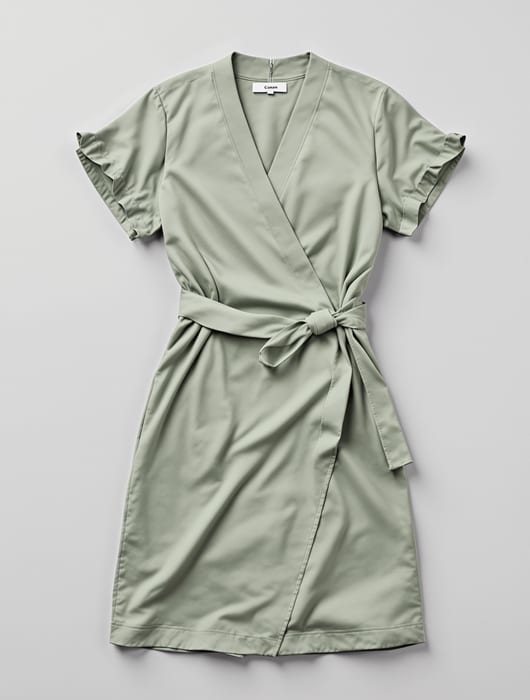
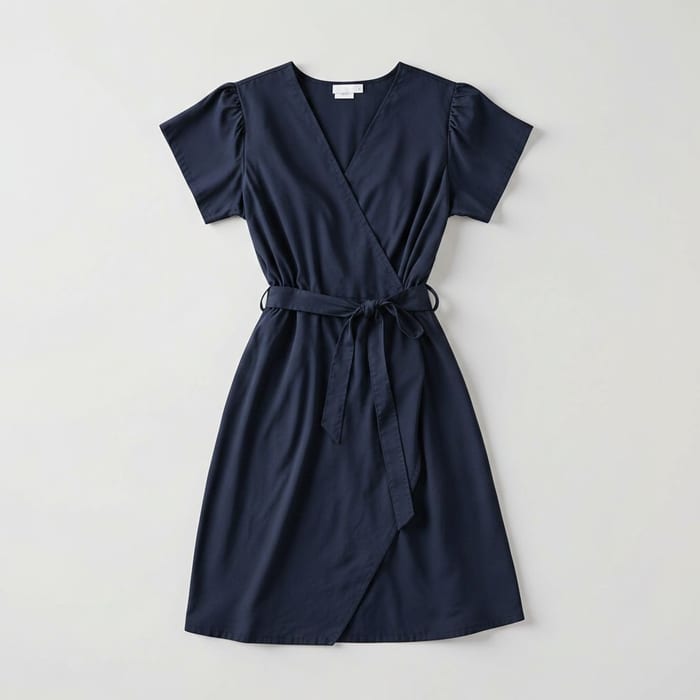 Echt
EchtThe same dress – tap a color and see the variant instantly.
Several colors, but only one photo
The same item comes in five colors – only one is shot. Sourcing a sample and reshooting for every extra color costs time and money.
- Not every color is on hand as a sample. Often only one color is available or even produced. Yet the listing is supposed to show all the variants.
- Reshooting every color is expensive. Source the sample, studio, appointment – and that per color. For many variants it simply does not pay off.
- Inconsistent images look messy. When color variants come from different shoots, light and pose do not match – the listing looks thrown together.
With Buust
- One photo becomes several colors. Buust recolors the same cut into more fabric colors – one photo becomes the whole color range, without you needing a second item.
- Cut and print stay exact. Only the fabric color changes. Shape, cut, folds and print stay unchanged – every variant is clearly the same item.
- Consistent, because from the same source. Because all variants come from the same photo, light and pose are identical across the entire color range.
The same item across your whole color range
One photo as the source, several colors as the result. You pick the colors, approve the variants and put them in your listing.
Several colors from one photo
Upload a photo of your garment and get the same item in more fabric colors. You do not need a second sample and you reshoot nothing – one shot becomes the whole color range.
- One shot becomes several color variants
- No second sample, no new shoot
- Matches your size and color variants in the shop
Cut, shape and print stay exact
Only the fabric color is changed. The cut, silhouette, drape and any printed design stay unchanged – every variant is clearly the same product, just in a different color.
- Only the fabric color changes
- Shape, cut and drape stay intact
- Printed designs stay unchanged
EchtHonest: similar color, not a Pantone match
The generated color is an approximation of the real fabric color – close enough to show the variant in the listing, but not an exact Pantone match. For binding color accuracy the real photo stays the reference. That keeps the display honest.
- Approximation of the fabric color, not Pantone-exact
- Ideal to make the color choice visible
- The real photo stays the reference for binding color accuracy
Your color range in four steps
Upload a photo, pick colors, approve – that is it.
- 01
Upload a product photo
Upload a photo of your garment in the color you have – that is the source for all the other variants.
- 02
Pick the colors
Choose the fabric colors the item comes in. Buust recolors the same cut into those colors.
- 03
Review and approve
You see all the color variants side by side, compare them with the original and approve the ones that fit.
- 04
Straight into the listing
The approved variants go into your listing – each color option with its own coherent image.
Reshooting colors vs. with Buust
What each color variant costs on its own – and what Buust makes of it.
Without Buust
- Source a sample item per color
- Studio and appointment for every variant
- Inconsistent images from different shoots
- Unproduced colors impossible to show
- A new color means a new shoot
With Buust
- One photo is enough for the whole color range
- No second sample, no new appointment
- Consistent images from the same source
- Make planned colors visible in advance, too
- A new color means a new variant in a click
Frequently asked questions
How exactly does Buust match the real fabric color?
The generated color is an approximation of the real fabric color – close enough to show the variant in the listing convincingly, but not an exact Pantone match. For binding color accuracy the real product photo stays the reference.
Do cut and print stay intact?
Yes. Only the fabric color is changed. Cut, shape, drape and any printed design stay unchanged – every variant is clearly the same item.
Do I need a sample item in every color?
No. A single photo of your item is enough as the source. The whole color range comes from it, without you sourcing a second sample or reshooting.
Can I show colors I have not produced yet?
You can make planned color variants visible, as long as it stays clear that this is a color approximation. Make sure you only offer variants in the shop that you can actually deliver.
Which products does it work for?
Best for solid-color or clearly patterned garments where the fabric color makes the variant – dresses, tops, jackets. For complex multi-color patterns the recoloring is limited.
Do I have to shoot anything extra?
No. An existing photo of your item is enough as the source. No reshoot, no second appointment – the other colors come from it.
Show your item in every color
Upload a photo, pick the colors and approve the variants – the same item across your whole color range, with no reshoot.
One photo is enough · similar color, not an exact Pantone match.
More Buust products
Video Journey
Five stages from clip to cinema spot — Buust only unlocks the next where the listing’s sales figures measurably improved after the video.
Video JourneyOutfits on a model
Build a complete outfit on a real model from 2–6 items — one photo, one finished Shopify bundle.
Outfits on a modelVirtual Try-On
Shoppers upload a photo and see themselves in the product – right on your product page, before they buy.
Virtual Try-On